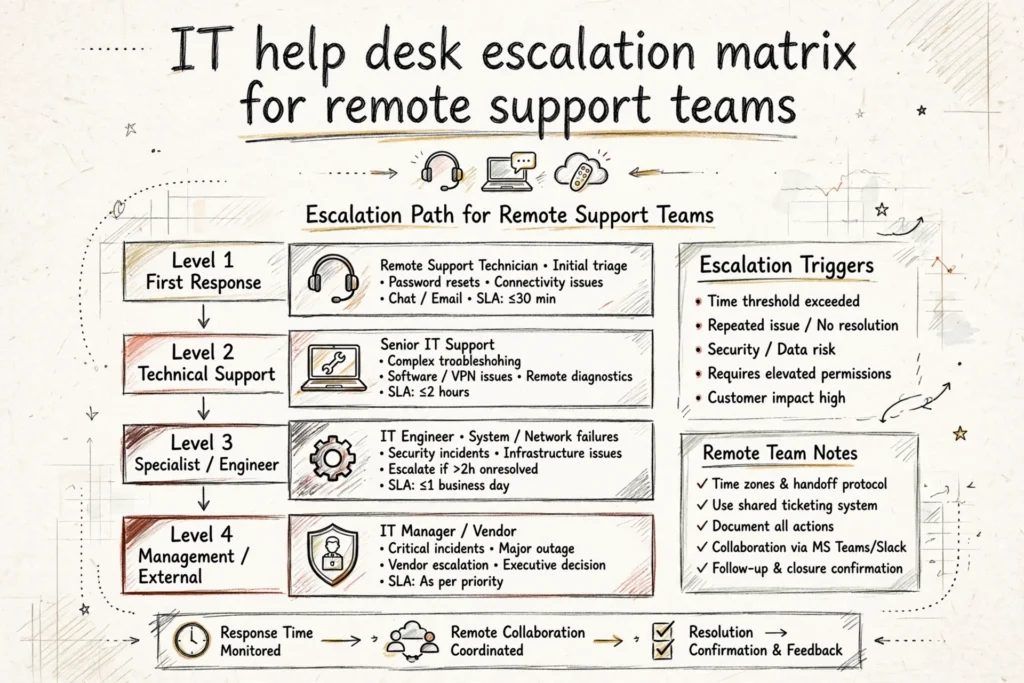
Quick Summary: A written protocol, not good intentions, is what makes executive assistant inbox delegation work, especially for UK executives with South African remote support. The guide lays out six parts: agreed decision boundaries, action-based inbox categories, a copyable approval and escalation matrix, secure named access, a worked fictional example, and a weekly handover. Start narrow, expand authority as trust builds, and review the matrix quarterly.
A director in London forwards a supplier renewal to their executive assistant in Johannesburg. The assistant accepts the meeting, books the call, and waits. Nobody agreed whether the renewal could be approved, the calendar moved, or the email sent back. Without a clear executive assistant inbox management protocol, that gap turns into a missed deadline or an unauthorised commitment.
This guide fixes that with a written protocol: inbox management rules for UK executives working with South African remote support, an approval and escalation matrix you can copy, secure access controls, a worked fictional example, and a weekly handover routine. It builds on the hiring steps in our South African executive assistant hiring page. Write the protocol before granting inbox access.
Agree Delegation and Decision Boundaries
Every executive assistant inbox management protocol starts with one conversation: what can your assistant decide alone, and what stays with you? Write the answer down before day one. Guessing under pressure is where delegation breaks.
Separate administration from executive judgement
Distinguish administrative action from decisions reserved for the executive. Scheduling, confirmations and filing may be delegated within stated rules. Contracts, pricing, complaints and sensitive correspondence may require approval. Start with a narrow set of permissions and a written ‘do not act without approval’ list. The executive should approve any later expansion.
Set response windows and escalation triggers
Agree review windows, such as 9am and 3pm UK time, and urgent triggers that override them. A legal threat, critical client problem or time-sensitive decision may need prompt escalation. Name a fallback approver for absence, and state what the assistant should do if nobody responds.

Also Read: Hire South African Executive Assistant For Uk Businesses
Build Inbox Categories and Response Authority
Use action-based categories
Use action categories with explicit owners: Act (assistant may handle), Draft (assistant prepares, executive approves), Decide (executive decision needed), Waiting (follow-up due) and FYI (no action presently required). These are suggested workflow labels, not security controls. Record a deadline or next-check date where an item needs follow-up.
Give each category a hard rule. For example: invoices under £500 get filed and forwarded to the bookkeeper; anything from a listed VIP sender goes straight to Decide. When a message doesn’t fit a rule, the assistant drafts a reply and flags it rather than guessing. This keeps the executive’s inbox down to genuine decisions.
Apply the same logic to calendar decisions
Calendar requests need their own authority levels. Set rules like: internal one-to-ones get accepted automatically; client calls can be proposed into protected slots; anything touching board members, press or new prospects gets held for approval. Pair the rules with two protected focus blocks the assistant must never book over. For more on structuring remote working rhythms, see the remote team management guide.
Use the Approval and Escalation Matrix
The matrix records what the assistant may do, the limit and the escalation route. Use role names plus a current directory of named owners and deputies. Review the directory when people change roles, so ‘ask the founder’ does not become a dead end during absence.
Completed fictional example
Here is how a UK founder might fill it in for Thandi, a remote executive assistant:
| Decision type | Threshold | Thandi’s authority | Escalation |
|---|---|---|---|
| Meeting scheduling | Routine meeting within approved hours; no protected or external commitments moved | Accept within the rules | Executive for conflicts or protected time |
| Supplier quotes | Any new spending commitment | Draft recommendation only | Named budget holder approves |
| Contract replies | Any | Draft only | Founder signs |
| Refund requests | Any | Route under the customer-service policy | Authorised service or finance owner |
| Press or media replies | Any | Never approve | Founder within 4 hours |

Copyable blank protocol tool
Copy this blank version into your own document and fill each row:
| Decision type | Threshold / trigger | EA authority | Escalate to | Response time |
|---|---|---|---|---|
Check exceptions during the weekly handover and formally review the matrix quarterly as a starting cadence. Change authority only with recorded approval; trust alone does not grant a spending limit. For broader support on managing a remote assistant, see our remote team management guide.
Also Read: Remote Team Management Guide
Secure Access and Confidential Correspondence
Delegation fails the moment access gets sloppy. Set the rules before your assistant opens a single email.
Give named access, not shared credentials
Give the assistant an individual account and use the platform’s supported delegation features. Gmail’s delegation guidance explains that delegates can read, send and delete mail; that is broad access. Check the precise permissions, sender identification and logging available in your own email system before enabling it.
- Create a named account for each assistant
- Grant delegate access rather than sharing logins
- Turn on two-factor authentication on every account
- Remove access at the agreed effective time of departure or role change, and verify that active sessions and connected permissions are addressed
Control confidential correspondence and remote access
Written confidentiality rules need matching technical controls. Labels such as ‘private’ or ‘Decide’ do not necessarily hide messages from a mailbox delegate. If the assistant must not see HR, legal or personal correspondence, use a suitably restricted mailbox or another arrangement your administrator has tested. Do not rely on a promise not to open a visible folder.
When using an EOR or recruitment provider, confirm the legal employer and data-access responsibilities separately. An EOR arrangement does not by itself settle international data transfers or give the provider authority over your email system. Have the appropriate owner review remote access before it begins.
Agree in writing which mailboxes the assistant can access, which are technically excluded, and how sensitive files are shared. Review that list every quarter.
Work Through Fictional Inbox and Calendar Decisions
A fictional morning triage
Priya, a fictional EA, sorts her fictional director Tom’s inbox at 7:30 UK time:
| Decision | Authority level | |
|---|---|---|
| Supplier invoice, £4,200 | Forward to finance, notify Tom | Act and inform |
| Client asking to move a call | Move to Thursday 2pm within the agreed window | Act alone |
| Board pack request | Flag with one-line summary, deadline noted | Tom decides |
| Trade newsletter | Archive | No action |
In this fictional example, the board request needs Tom’s decision and the invoice generates a notification; neither is automatically approved. The client move is permitted only because it falls within the written calendar rules. Priya records the actions and pending decision.
Show the executive only decisions, not noise
At the agreed review window, Tom sees the board-pack decision with the requester’s identity, deadline and proposed next step. Priya waits for approval before sending confidential material. Unanswered decisions remain visible with a follow-up time.
Also Read: Professional Services
Run the Weekly Review and Executive Handover
Review decisions and exceptions
A weekly review can cover decisions taken, pending approvals, missed deadlines and unclear boundaries. For each exception, record what happened and whether the rule needs changing. Agree any revision in writing and keep the previous version for context.
Create a resilient handover
The protocol should survive holidays, load-shedding and staff changes. So write it down:
- Keep the escalation matrix in a shared document, not someone’s head.
- Name a backup assistant who has read access and has shadowed the role.
- Grant authorised cover through named delegated accounts; keep credentials out of handover notes.
- Log where every record lives.
Our remote team management guide covers building these cover arrangements into your wider operating rhythm.
Ready to put this protocol into practice with a capable executive assistant? Hire SA Talent connects UK businesses with dependable South African EA support. Start the conversation today.
Frequently Asked Questions
Does mailbox access give an assistant authority to approve spending?
No. Technical access and business authority are separate. Define financial, contractual and calendar limits in the decision matrix.
Can a confidential label hide messages from an email delegate?
Do not assume so. Test the platform’s actual permissions and use a suitably restricted mailbox or other approved arrangement for information the assistant must not access.
Should an executive share their password with an assistant?
Use named accounts and supported delegation instead. Confirm the permissions, authentication and removal process with the email administrator.
What goes into the weekly handover?
Record decisions taken, approvals pending, deadlines, exceptions and any changes proposed to the protocol. Name cover and keep the current authority matrix accessible.
Conclusion
A useful inbox protocol combines a decision matrix, clear action categories, tested account permissions and a reliable handover. The fictional example shows why authority, notifications and executive approval are separate. Measure the effect in your own team rather than assuming a fixed time saving.
Start small. Grant access through proper delegation settings, never shared passwords, and expand authority as trust builds. Review the matrix each quarter with your assistant, whether they work in London or as part of your remote team in South Africa, so the protocol grows with your business.