Quick Summary: Give your remote marketing assistant a written campaign brief covering the objective, audience, deliverables, measurement, access and approvals. Copy the blank fields, compare them with the fictional example and use the pre-launch checklist. Keep decisions in the current brief so both people can find them.
A marketing assistant needs to know who the campaign targets, which action matters, what assets are approved and who can authorise launch. A written brief makes those decisions accessible across a remote team. It also gives the assistant somewhere to record questions and changes without relying on a conversation somebody may miss.
This guide gives you exactly that: a copyable campaign brief template, a completed fictional example, and clear rules for access, approvals and version control. Use the marketing assistant brief below as your working standard, adapt the template to each campaign, and hand it over once. For the wider hiring picture, see our South African marketing assistant page.
Step 1: Set the Objective, Audience and Success Measure
A marketing assistant can only do great work when the brief names one clear job. Before anything else, turn a vague request into a single campaign task.
Turn a Broad Request into One Campaign Job
“Help with marketing” leaves the deliverable unclear. An illustrative objective is “Generate 40 qualified enquiries from the defined audience by 31 May”. Treat that number as a planning target, not a promise. Agree what counts as a qualified enquiry before production starts.
This matters even more with a remote assistant. Use a call or message to resolve ambiguity, then record the decision in the shared brief. The marketing assistant campaign brief template below forces you to write:
- The objective: one outcome, one number
- The deadline: a fixed end date
- The scope: what the campaign covers, and what it does not
Define the Audience and Measurement Rules
Name the audience in practical terms, such as owners of UK cafés with one to three sites. Define which records count, where the result will be measured and who checks it. If several channels contribute, state how duplicate enquiries will be handled.

Agree three things in the brief: which metric counts, which report shows it, and who checks it. Fill in this sentence: “Increase or reduce [metric] from [current number] to [target number] by [date].” If you cannot, the campaign is not ready to brief.
Also Read: Marketing Agencies
Step 2: Copy the Campaign Brief Template
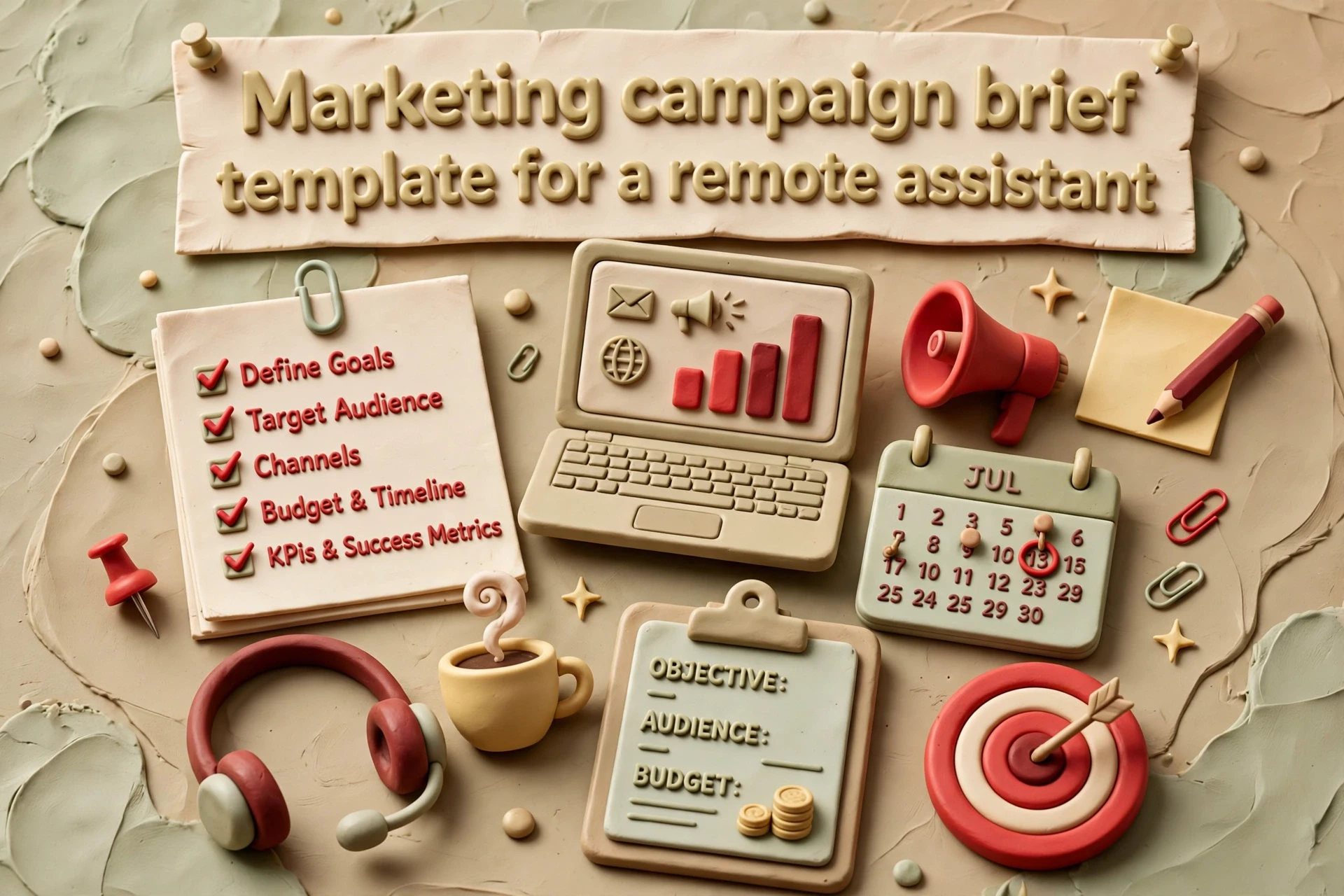
Copy the tables into a shared document, save a blank master and create one version per campaign. Keep the summary short enough to scan; link to supporting assets and detailed requirements where necessary.
Blank Campaign Brief
| Field | What to Write | Owner |
|---|---|---|
| Campaign name | Specific and dated, not “Q3 push” | UK manager |
| Objective | One number and a deadline, e.g. “50 demo calls by 30 June” | UK manager |
| Success measure | Primary metric, baseline, report and counting rules | UK manager |
| Audience | Role, location, buying stage | UK manager |
| Key message | One sentence the audience should remember | Assistant drafts, manager approves |
| Channels | Proposed channels and approval | Assistant drafts; manager approves |
| Deliverables | Asset, quantity, format, size | Assistant |
| Deadline | Draft date, review date, launch date | UK manager |
| Budget | Spend cap and what it covers | UK manager |
| Sign-off owner | One named person, never “management” | UK manager |
| Access Level | Assistant | Manager |
|---|---|---|
| Draft assets | Yes, within agreed access | Yes |
| Schedule a live send | Only after recorded launch approval | Yes |
| Publish live | Only if agreed | Yes |
| Spend approvals | No | Yes |
How to Complete the Brief Together
- Manager fills in the objective, budget and sign-off owner.
- Assistant drafts the channels, deliverables and message.
- Review it together on a 30-minute call – the assistant often spots gaps.
- Both sign the final version and date it.
If a field cannot change what gets made, cut it. A good brief stays to one page. Keep one blank master of the marketing assistant campaign brief template, and the worked example in Step 5 shows how it looks filled in.
Step 3: Confirm Assets, Access and Brand Constraints
Vague briefs fail at the asset stage. Your assistant can only move fast if every input is named and reachable before production starts.
List the Inputs Before Production Starts
Put these in the brief as a checklist, not a wish list:
- Final copy – state which version is approved and where it lives.
- Brand assets – logos, fonts, brand colours, image library links.
- Templates – email layouts, social sizes, landing page blocks.
- Customer or product data – exact lists, with counts and cut-off dates.
- Past examples – one or two campaigns that did well, for tone reference.
Mark each item “ready”, “in progress” or “missing”. The status column shows where the assistant needs a decision or missing input.

Set Practical Access Boundaries
Give the assistant only the access the work needs: for example, analytics viewing and campaign drafting without spending or publishing authority. Use named accounts and MFA where supported. Test what the assigned account can actually do, because some platform roles combine editing with broader permissions.
Also spell out brand rules: words you never use, tone limits, disclaimers and anything needing legal review.
Also Read: Remote Team Management Guide
Step 4: Assign Approval Responsibilities and Version Control
Name the final campaign owner and every required specialist approver. Separate copy approval, budget approval and any legal or compliance review so a single ‘approved’ comment cannot be mistaken for clearance of everything.
Name One Decision Owner
The final owner coordinates approval and records the launch decision. Required reviewers retain authority over their area; the campaign should not launch while a required legal, privacy or budget check is unresolved.
- Brand and copy approvals: the UK manager who owns the brief.
- Budget and spend approvals: the person with documented spending authority.
- Legal, privacy or claims checks: the designated reviewer where relevant to the content, audience, data use or regulated subject.
Record the turnaround time too, for example “feedback within one working day”. This matters more with remote staff, because a South African assistant starting at 9am UK time wants questions answered before your afternoon.
Use a Simple Version Naming Rule
Skip the “final_final_v3” mess. Agree one format and follow it, such as:
campaign_asset_type_v01
For example, “spring-sale_email_header_v01”. Every change gets a new number, and the old file stays in the folder. Add a status word when needed: draft, review, approved. Keep one live version and archive the rest. File naming conventions work best when everyone uses the same pattern consistently, which is exactly what remote teams need when two time zones share one drive.

| Approval | Owner | Turnaround |
|---|---|---|
| Copy and creative | UK marketing manager | 1 working day |
| Budget and spend | Founder or finance lead | 2 working days |
| Final sign-off | Named decision owner | Same day before 4pm UK |
Step 5: Use This Worked Fictional Small-Business Campaign
Completed Fictional Brief
The following campaign, people and targets are fictional. No achieved results are being claimed.
| Field | Example Entry |
|---|---|
| Campaign name | June Newsletter Relaunch (v2) |
| Owner | Thandi, remote marketing assistant |
| Approver | Sarah, UK owner |
| Objective | Re-engage lapsed customers |
| Audience | Eligible existing customers inactive for 6+ months; list checked by owner |
| Success measure | Target: 100 attributed reorders by 30 June; deduplicated order report |
| Channels | Email and Instagram |
| Assets needed | 2 emails, 4 social posts |
| Access granted | Email platform editor, brand folder |
| Approval rule | Drafts submitted by Thursday 14:00 UK |
| Deadline | Send 10 June, report by 3 July |
In this example, Sarah confirms the eligible mailing audience, suppression rules and message approvals before Thandi prepares the send. The target is a hypothetical planning assumption. The campaign review will compare actual orders with that target and record limitations in attribution.
What the Example Makes Clear
The brief removes guesswork. Thandi knows what to build, when to submit it, and which number matters. Sarah remains available to resolve questions and approve changes. If a similar campaign runs again, they reuse this file and update the dates. That is the whole system working as intended.
Also Read: Hire South African Marketing Assistant Uk
Step 6: Complete the Review and Handover Checklist
Pre-Launch Review
Before your assistant presses go, check the brief one last time:
- Objective, audience and success measure match what you agreed in Step 1.
- Every asset is final, labelled and stored where both of you can reach it.
- Access to each tool is tested with a log-in, not assumed.
- Approval owners and deadlines are named in the brief, not in a chat message.
- The version number on the brief matches the campaign plan you signed off.
If any box fails, fix it before launch. Record unresolved items and hold launch where a required check has not passed.
Handover After Approval
Once the campaign is live, hand over cleanly:
- Archive the brief with its final version number and date.
- Record account owners, permissions and file locations; keep passwords out of the brief and use approved account delegation.
- Schedule a short review to compare results against the success measure.
- Note any lessons for the next brief while they’re fresh.
For ongoing routines that keep remote campaigns on track, our remote team management guide pairs well with this checklist.
To discuss the role, use the marketing assistant hiring page. Hire SA Talent introduces UK businesses; SA Konexion delivers recruitment and employment services under the agreed arrangement.
Frequently Asked Questions
What should a campaign brief include?
Record the objective, audience, deliverables, measurement rules, dates, budget, assets, access and required approvals. Keep a short summary and link to supporting details.
Can the assistant schedule an email before final approval?
Only within the agreed permissions. In this template, a live send or scheduled send requires recorded launch approval; drafting an asset does not grant publishing authority.
Who signs off the campaign?
A named owner records final launch approval after the required creative, budget, privacy or other specialist checks are complete. Required reviewers retain responsibility for their area.
Are the results in the worked example real?
No. The campaign and people are fictional, and the numbers are planning targets. Record actual results and attribution limitations after your own campaign runs.
Conclusion
A good brief turns a remote assistant from extra admin into real capacity. Keep the template to one page: state the objective, audience and success measure, then list assets, access, brand limits and approval owners. The worked example shows how little detail you actually need to remove guesswork.
At the campaign review, record what shipped, what the measurement shows and which assumptions were wrong. Update the template when the same question recurs. A clear brief supports judgement and communication; it does not replace them.
Reuse the blank template, refine it after each campaign, and pair it with our remote team management guide.